Page text (OCR transcript)
Troubleshooting

Check the following before beginning Troubleshooting.

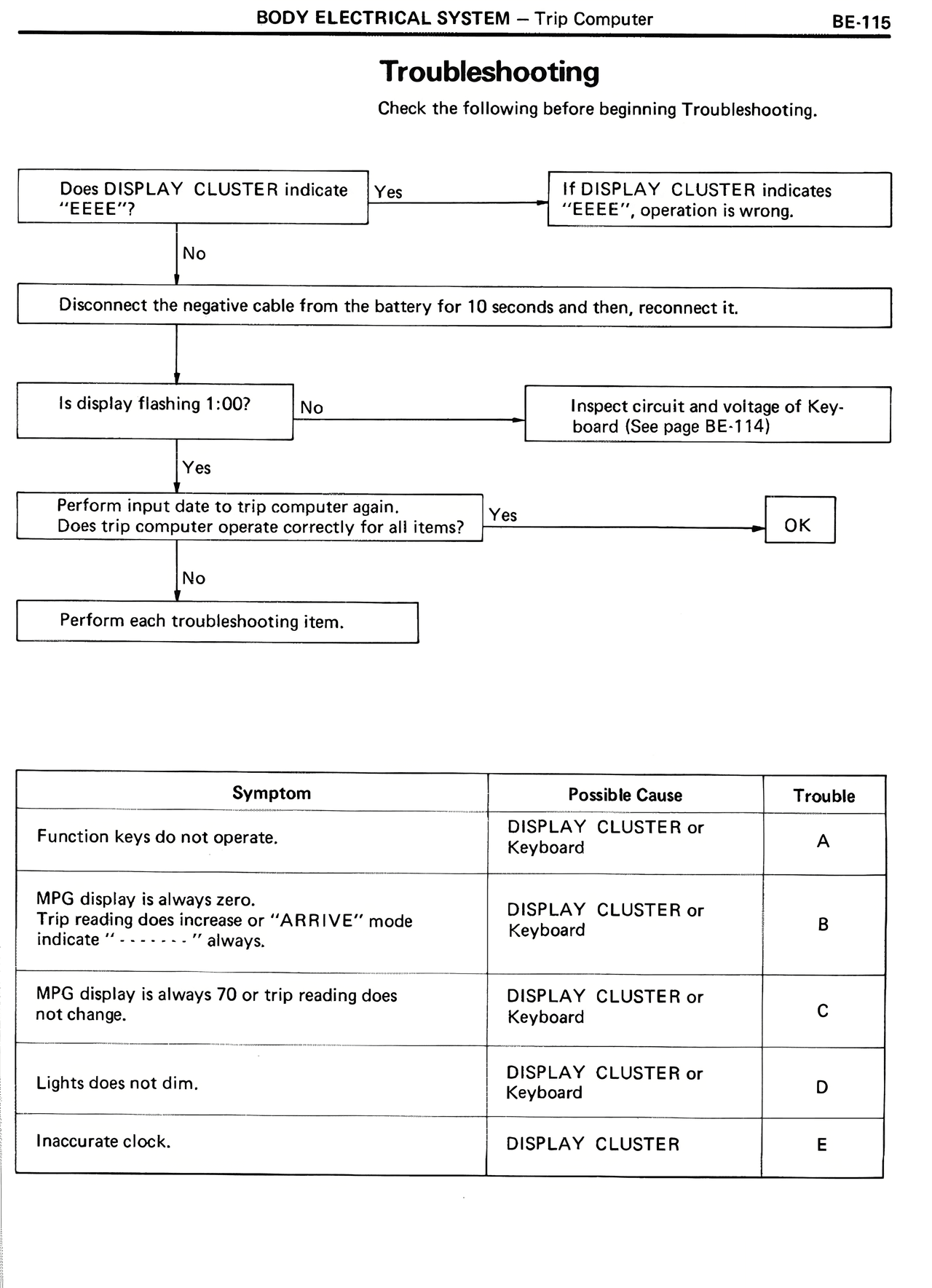
Does DISPLAY CLUSTER indicate "EEEE"?

Yes → If DISPLAY CLUSTER indicates "EEEE", operation is wrong.

No ↓

Disconnect the negative cable from the battery for 10 seconds and then, reconnect it.

↓

Is display flashing 1:00?

No → Inspect circuit and voltage of Keyboard (See page BE-114)

Yes ↓

Perform input date to trip computer again.
Does trip computer operate correctly for all items?

Yes → OK

No ↓

Perform each troubleshooting item.


Symptom | Possible Cause | Trouble

Function keys do not operate. | DISPLAY CLUSTER or Keyboard | A

MPG display is always zero.
Trip reading does increase or "ARRIVE" mode indicate "-------" always. | DISPLAY CLUSTER or Keyboard | B

MPG display is always 70 or trip reading does not change. | DISPLAY CLUSTER or Keyboard | C

Lights does not dim. | DISPLAY CLUSTER or Keyboard | D

Inaccurate clock. | DISPLAY CLUSTER | E