← p.002p.004 →
TRBL/Troubleshooting — How to Replace Terminal (with terminal retainer or secondary locking device), page 3
3 / 7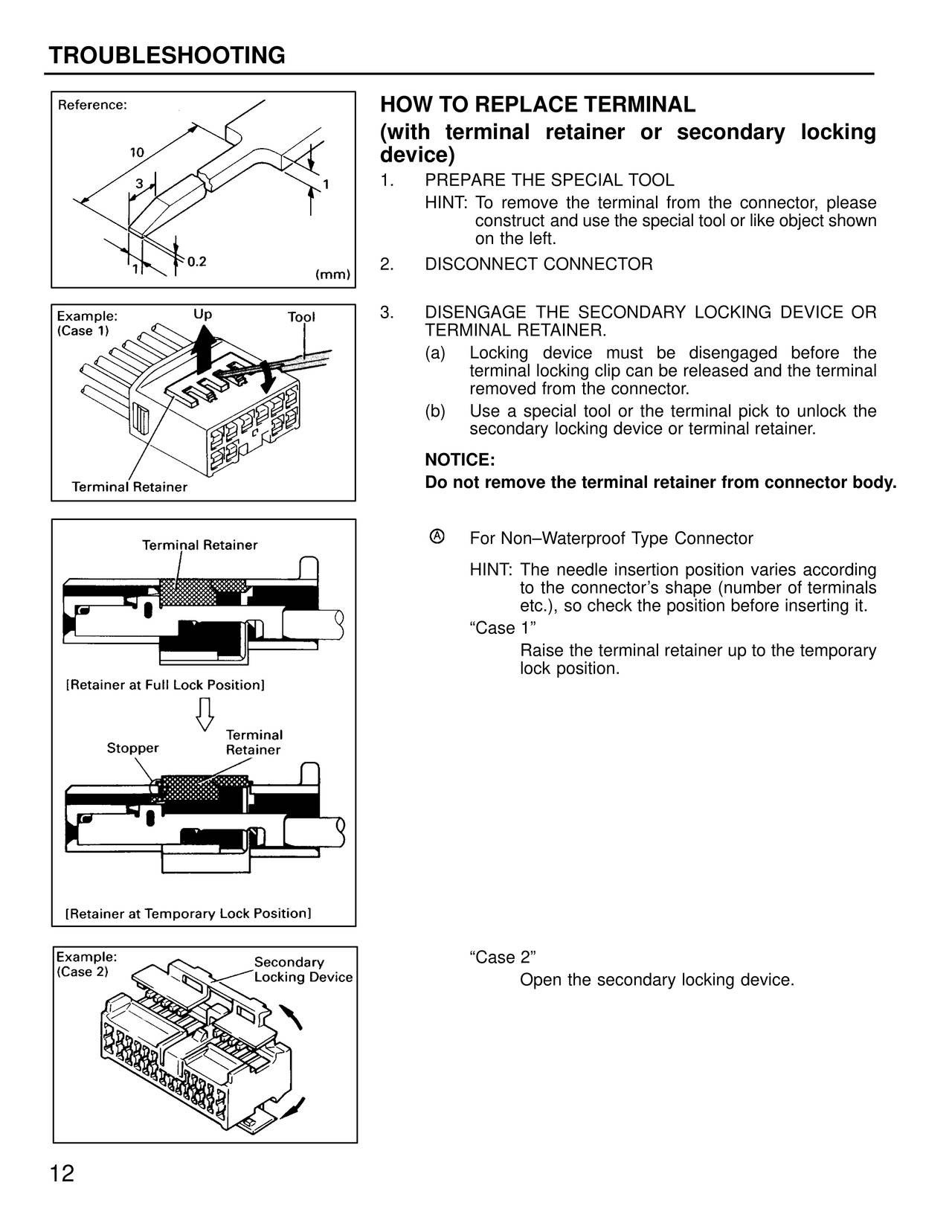
100%
Page text (OCR transcript)
TROUBLESHOOTING

Reference:
10
3
1
0.2
(mm)

Example:
(Case 1)
Up
Tool
Terminal Retainer

Terminal Retainer
[Retainer at Full Lock Position]
Stopper
Terminal Retainer
[Retainer at Temporary Lock Position]

Example:
(Case 2)
Secondary Locking Device

HOW TO REPLACE TERMINAL
(with terminal retainer or secondary locking device)

1. PREPARE THE SPECIAL TOOL
HINT: To remove the terminal from the connector, please construct and use the special tool or like object shown on the left.

2. DISCONNECT CONNECTOR

3. DISENGAGE THE SECONDARY LOCKING DEVICE OR TERMINAL RETAINER.
(a) Locking device must be disengaged before the terminal locking clip can be released and the terminal removed from the connector.
(b) Use a special tool or the terminal pick to unlock the secondary locking device or terminal retainer.

NOTICE:
Do not remove the terminal retainer from connector body.

⊗ For Non–Waterproof Type Connector

HINT: The needle insertion position varies according to the connector's shape (number of terminals etc.), so check the position before inserting it.

"Case 1"
Raise the terminal retainer up to the temporary lock position.

"Case 2"
Open the secondary locking device.

12