Page text (OCR transcript)
AC–18
AIR CONDITIONING SYSTEM – TROUBLESHOOTING

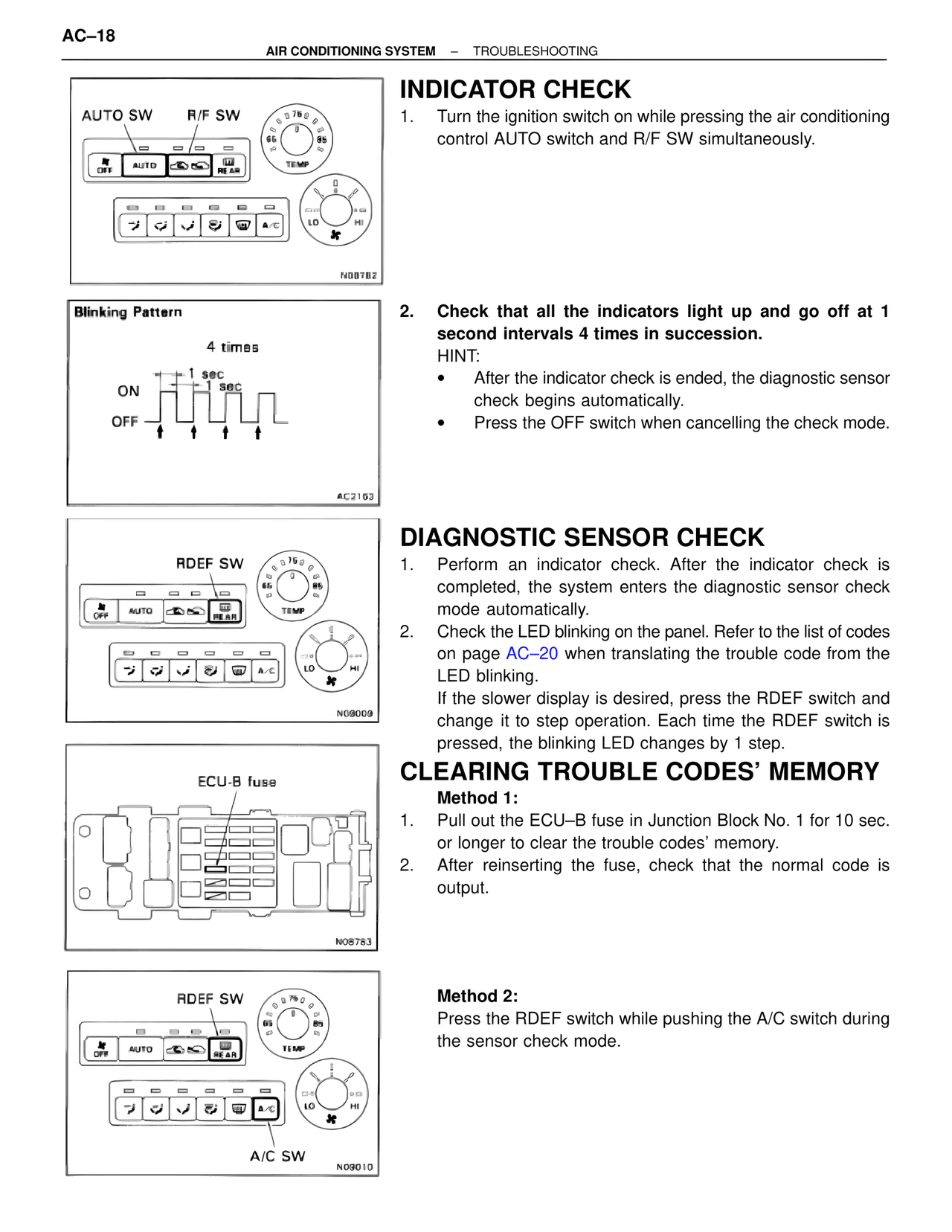
AUTO SW  R/F SW

N08782

INDICATOR CHECK
1. Turn the ignition switch on while pressing the air conditioning control AUTO switch and R/F SW simultaneously.

Blinking Pattern

4 times
1 sec
1 sec
ON
OFF

AC2163

2. Check that all the indicators light up and go off at 1 second intervals 4 times in succession.
HINT:
• After the indicator check is ended, the diagnostic sensor check begins automatically.
• Press the OFF switch when cancelling the check mode.

RDEF SW

N09009

DIAGNOSTIC SENSOR CHECK
1. Perform an indicator check. After the indicator check is completed, the system enters the diagnostic sensor check mode automatically.
2. Check the LED blinking on the panel. Refer to the list of codes on page AC–20 when translating the trouble code from the LED blinking.
If the slower display is desired, press the RDEF switch and change it to step operation. Each time the RDEF switch is pressed, the blinking LED changes by 1 step.

ECU-B fuse

N08783

CLEARING TROUBLE CODES' MEMORY
Method 1:
1. Pull out the ECU–B fuse in Junction Block No. 1 for 10 sec. or longer to clear the trouble codes' memory.
2. After reinserting the fuse, check that the normal code is output.

RDEF SW

A/C SW

N09010

Method 2:
Press the RDEF switch while pushing the A/C switch during the sensor check mode.