← p.016p.018 →
ATTE/A340 Automatic Trans (GTE) — O/D Direct Clutch Speed Sensor Replacement, page 17
17 / 118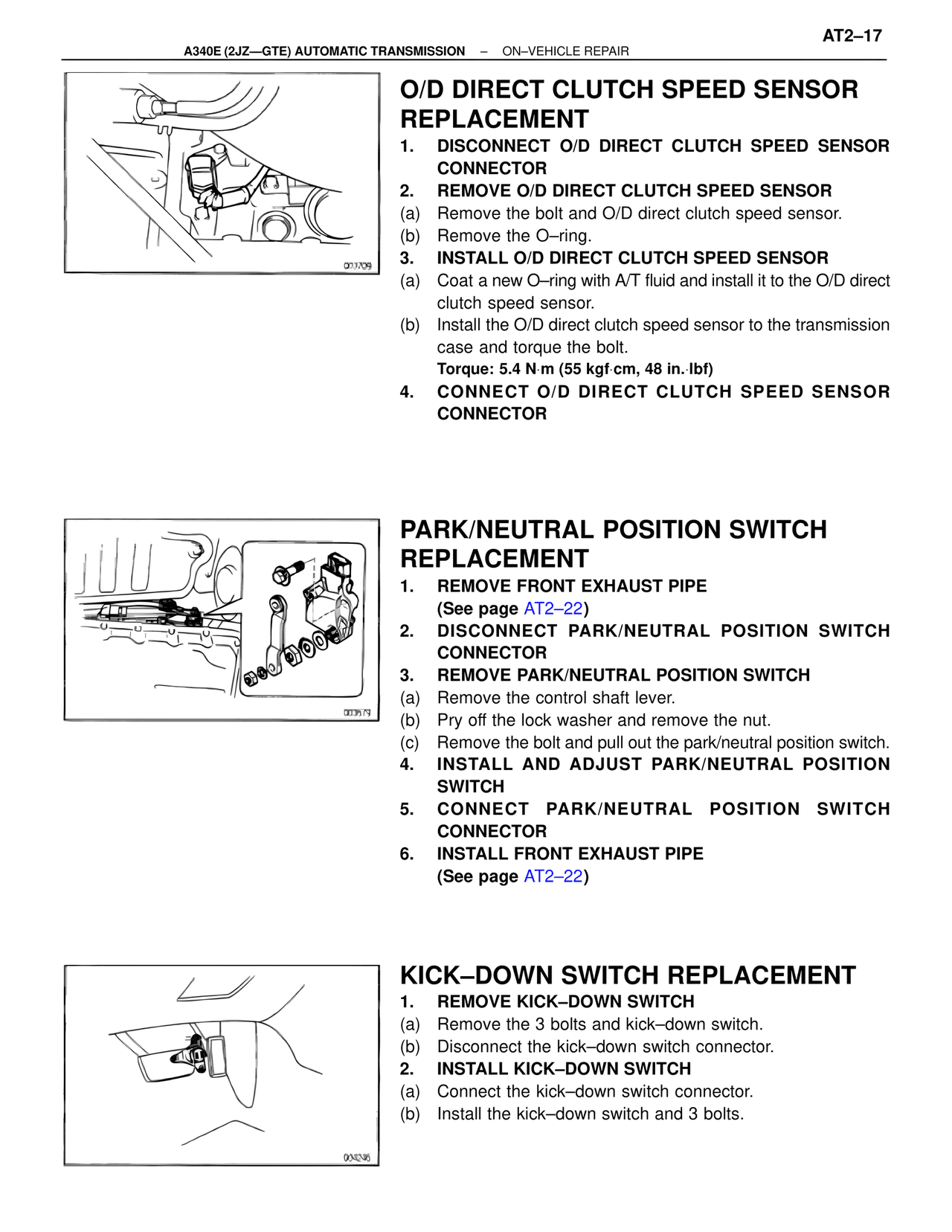
100%
Page text (OCR transcript)
AT2–17
A340E (2JZ—GTE) AUTOMATIC TRANSMISSION – ON–VEHICLE REPAIR

O/D DIRECT CLUTCH SPEED SENSOR REPLACEMENT
1. DISCONNECT O/D DIRECT CLUTCH SPEED SENSOR CONNECTOR
2. REMOVE O/D DIRECT CLUTCH SPEED SENSOR
(a) Remove the bolt and O/D direct clutch speed sensor.
(b) Remove the O–ring.
3. INSTALL O/D DIRECT CLUTCH SPEED SENSOR
(a) Coat a new O–ring with A/T fluid and install it to the O/D direct clutch speed sensor.
(b) Install the O/D direct clutch speed sensor to the transmission case and torque the bolt.
Torque: 5.4 N·m (55 kgf·cm, 48 in.·lbf)
4. CONNECT O/D DIRECT CLUTCH SPEED SENSOR CONNECTOR

001709

PARK/NEUTRAL POSITION SWITCH REPLACEMENT
1. REMOVE FRONT EXHAUST PIPE
(See page AT2–22)
2. DISCONNECT PARK/NEUTRAL POSITION SWITCH CONNECTOR
3. REMOVE PARK/NEUTRAL POSITION SWITCH
(a) Remove the control shaft lever.
(b) Pry off the lock washer and remove the nut.
(c) Remove the bolt and pull out the park/neutral position switch.
4. INSTALL AND ADJUST PARK/NEUTRAL POSITION SWITCH
5. CONNECT PARK/NEUTRAL POSITION SWITCH CONNECTOR
6. INSTALL FRONT EXHAUST PIPE
(See page AT2–22)

003679

KICK–DOWN SWITCH REPLACEMENT
1. REMOVE KICK–DOWN SWITCH
(a) Remove the 3 bolts and kick–down switch.
(b) Disconnect the kick–down switch connector.
2. INSTALL KICK–DOWN SWITCH
(a) Connect the kick–down switch connector.
(b) Install the kick–down switch and 3 bolts.

004295