AC–22
AIR CONDITIONING SYSTEM – TROUBLESHOOTING
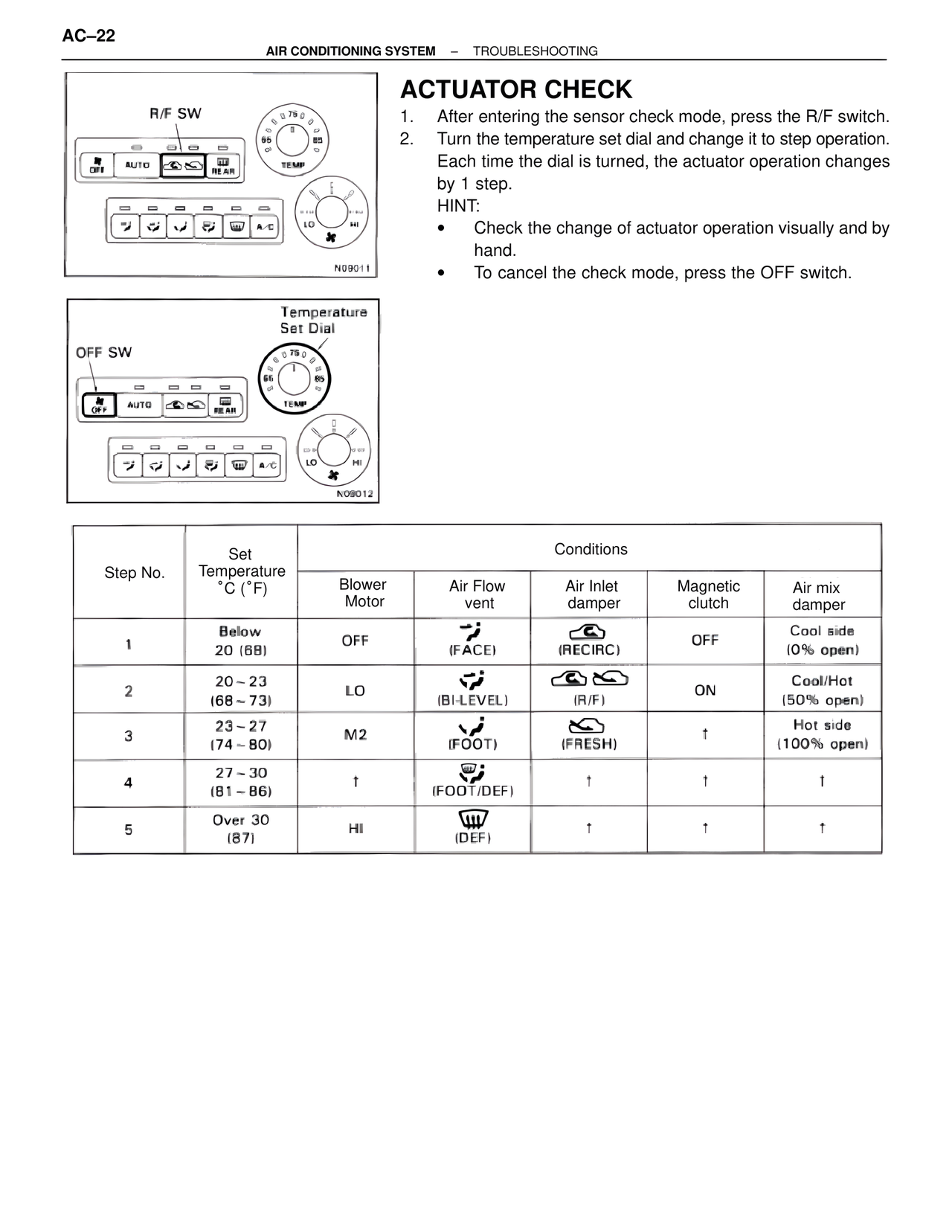
R/F SW
N09011
Temperature
Set Dial
OFF SW
N09012
ACTUATOR CHECK
1. After entering the sensor check mode, press the R/F switch.
2. Turn the temperature set dial and change it to step operation.
Each time the dial is turned, the actuator operation changes
by 1 step.
HINT:
• Check the change of actuator operation visually and by
hand.
• To cancel the check mode, press the OFF switch.
Step No. | Set Temperature °C (°F) | Conditions
| | Blower Motor | Air Flow vent | Air Inlet damper | Magnetic clutch | Air mix damper
1 | Below 20 (68) | OFF | (FACE) | (RECIRC) | OFF | Cool side (0% open)
2 | 20~23 (68~73) | LO | (BI-LEVEL) | (R/F) | ON | Cool/Hot (50% open)
3 | 23~27 (74~80) | M2 | (FOOT) | (FRESH) | † | Hot side (100% open)
4 | 27~30 (81~86) | † | (FOOT/DEF) | † | † | †
5 | Over 30 (87) | HI | (DEF) | † | † | †