AT2–109
A340E (2JZ—GTE) AUTOMATIC TRANSMISSION – TROUBLESHOOTING
INSPECTION PROCEDURE
O/D OFF indicator light does not light up.
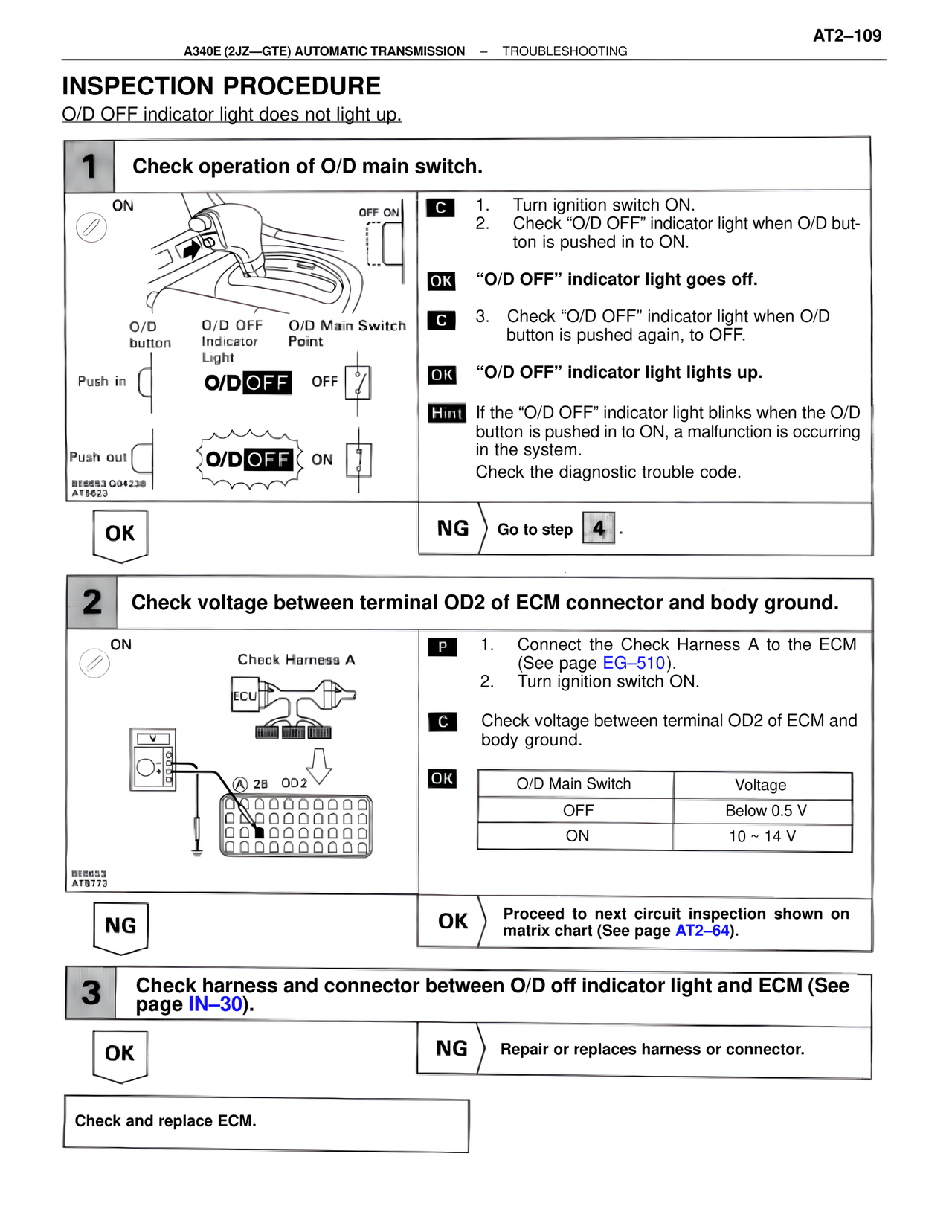
1 Check operation of O/D main switch.
ON
OFF ON
O/D
button
O/D OFF
Indicator
Light
O/D Main Switch
Point
Push in
O/D OFF
OFF
Push out
O/D OFF
ON
BE6653 CG4238
AT5623
C 1. Turn ignition switch ON.
2. Check "O/D OFF" indicator light when O/D button is pushed in to ON.
OK "O/D OFF" indicator light goes off.
C 3. Check "O/D OFF" indicator light when O/D button is pushed again, to OFF.
OK "O/D OFF" indicator light lights up.
Hint If the "O/D OFF" indicator light blinks when the O/D button is pushed in to ON, a malfunction is occurring in the system.
Check the diagnostic trouble code.
OK
NG Go to step 4 .
2 Check voltage between terminal OD2 of ECM connector and body ground.
ON
Check Harness A
ECU
A 28 OD2
BE6653
AT8773
P 1. Connect the Check Harness A to the ECM (See page EG–510).
2. Turn ignition switch ON.
C Check voltage between terminal OD2 of ECM and body ground.
OK
O/D Main Switch Voltage
OFF Below 0.5 V
ON 10 ~ 14 V
NG
OK Proceed to next circuit inspection shown on matrix chart (See page AT2–64).
3 Check harness and connector between O/D off indicator light and ECM (See page IN–30).
OK
NG Repair or replaces harness or connector.
Check and replace ECM.