EG–254
ENGINE – SFI SYSTEM (2JZ–GE)
ECM INSPECTION
1. DISCONNECT NEGATIVE (–) TERMINAL CABLE FROM BATTERY
2. REMOVE SCUFF PLATE
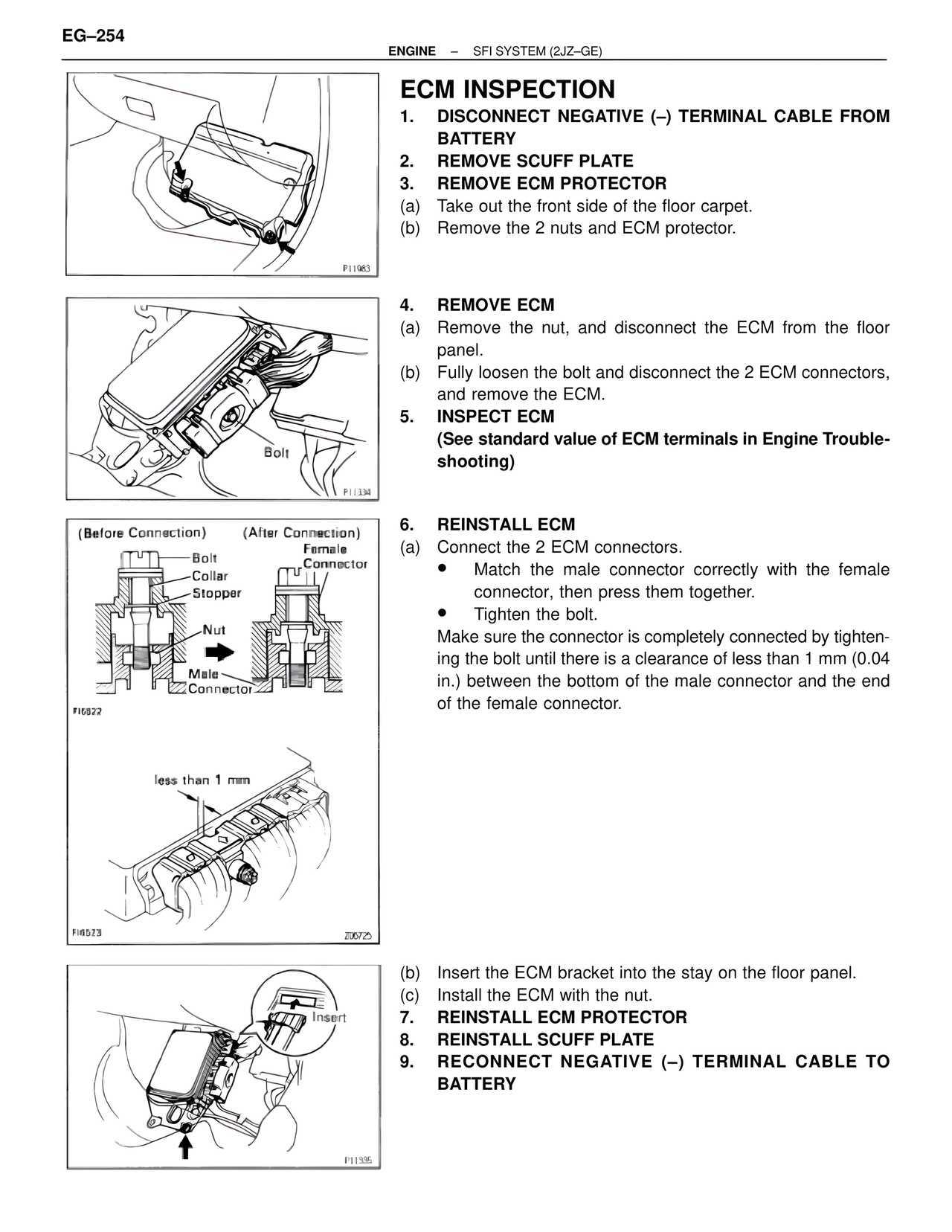
3. REMOVE ECM PROTECTOR
(a) Take out the front side of the floor carpet.
(b) Remove the 2 nuts and ECM protector.
P11983
4. REMOVE ECM
(a) Remove the nut, and disconnect the ECM from the floor panel.
(b) Fully loosen the bolt and disconnect the 2 ECM connectors, and remove the ECM.
5. INSPECT ECM
(See standard value of ECM terminals in Engine Troubleshooting)
Bolt
P11334
(Before Connection) (After Connection)
Bolt
Collar
Stopper
Nut
Male Connector
Female Connector
FI6522
less than 1 mm
6. REINSTALL ECM
(a) Connect the 2 ECM connectors.
• Match the male connector correctly with the female connector, then press them together.
• Tighten the bolt.
Make sure the connector is completely connected by tightening the bolt until there is a clearance of less than 1 mm (0.04 in.) between the bottom of the male connector and the end of the female connector.
FI6523
Z00725
(b) Insert the ECM bracket into the stay on the floor panel.
(c) Install the ECM with the nut.
7. REINSTALL ECM PROTECTOR
8. REINSTALL SCUFF PLATE
9. RECONNECT NEGATIVE (–) TERMINAL CABLE TO BATTERY
Insert
P11335