B–34
TERMINAL AND CONNECTOR REPAIR–TERMINAL REPLACEMENT
2. Double Locking Type Connector
(with terminal retainer or double locking device)
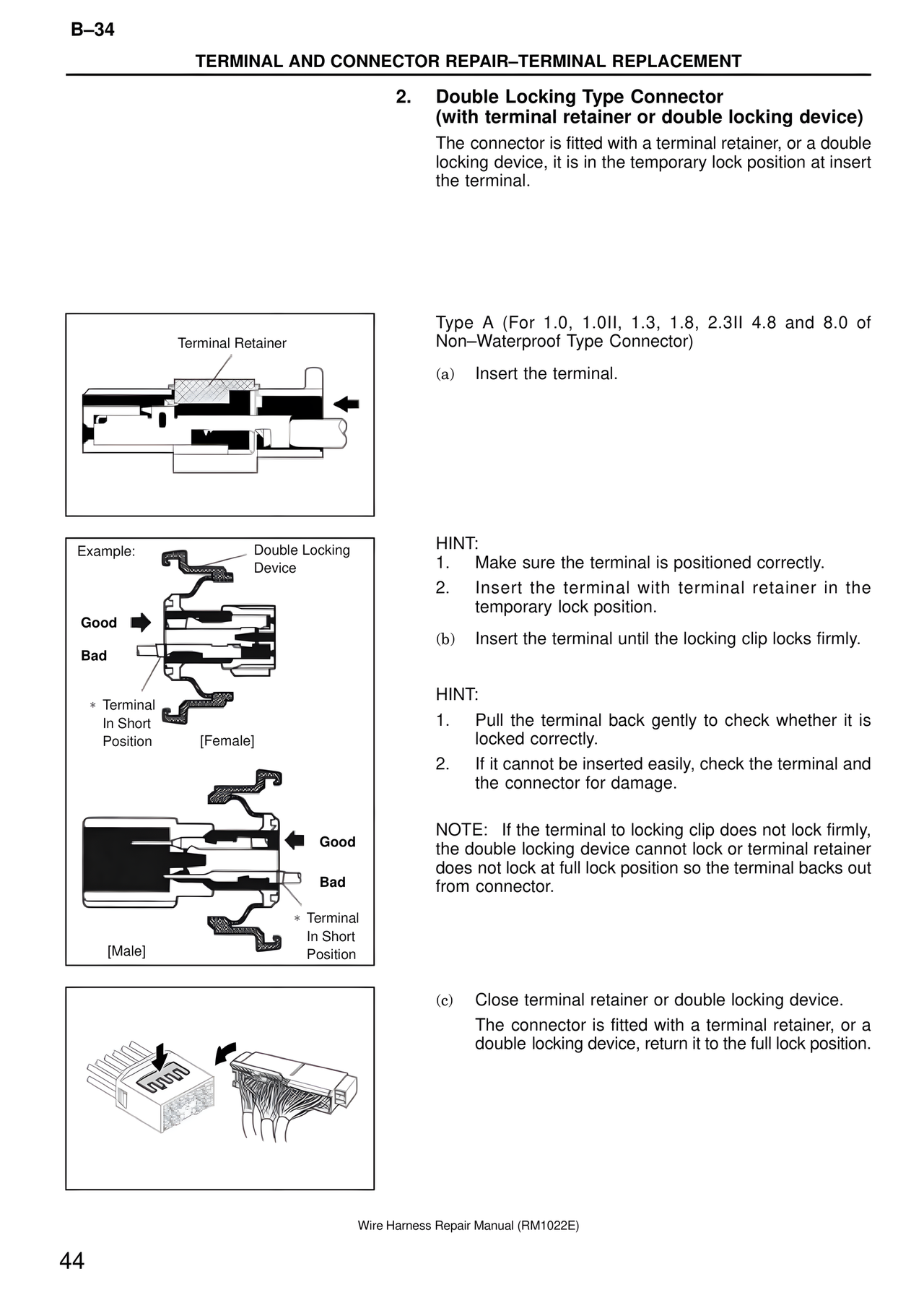
The connector is fitted with a terminal retainer, or a double locking device, it is in the temporary lock position at insert the terminal.
Terminal Retainer
Example:
Double Locking Device
Good
Bad
* Terminal In Short Position
[Female]
Good
Bad
* Terminal In Short Position
[Male]
Type A (For 1.0, 1.0II, 1.3, 1.8, 2.3II 4.8 and 8.0 of Non–Waterproof Type Connector)
(a) Insert the terminal.
HINT:
1. Make sure the terminal is positioned correctly.
2. Insert the terminal with terminal retainer in the temporary lock position.
(b) Insert the terminal until the locking clip locks firmly.
HINT:
1. Pull the terminal back gently to check whether it is locked correctly.
2. If it cannot be inserted easily, check the terminal and the connector for damage.
NOTE: If the terminal to locking clip does not lock firmly, the double locking device cannot lock or terminal retainer does not lock at full lock position so the terminal backs out from connector.
(c) Close terminal retainer or double locking device.
The connector is fitted with a terminal retainer, or a double locking device, return it to the full lock position.
Wire Harness Repair Manual (RM1022E)
44