B–37
TERMINAL AND CONNECTOR REPAIR–TERMINAL REPLACEMENT
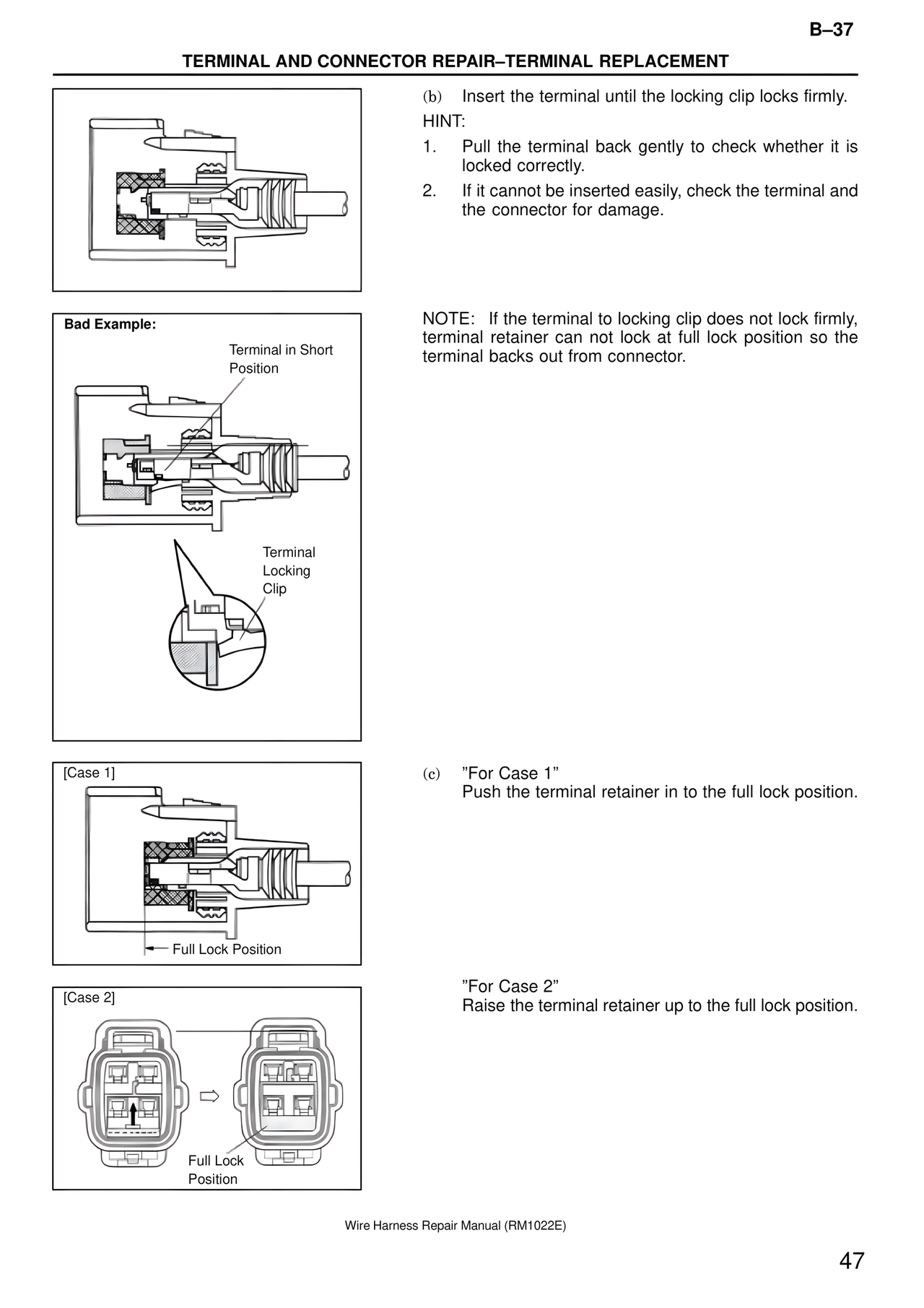
(b) Insert the terminal until the locking clip locks firmly.
HINT:
1. Pull the terminal back gently to check whether it is locked correctly.
2. If it cannot be inserted easily, check the terminal and the connector for damage.
Bad Example:
Terminal in Short Position
Terminal Locking Clip
NOTE: If the terminal to locking clip does not lock firmly, terminal retainer can not lock at full lock position so the terminal backs out from connector.
[Case 1]
Full Lock Position
(c) "For Case 1"
Push the terminal retainer in to the full lock position.
[Case 2]
Full Lock Position
"For Case 2"
Raise the terminal retainer up to the full lock position.
Wire Harness Repair Manual (RM1022E)
47